e+ (eplus) Quick Guide: WBC2026 Ticket Purchase Process Fast Guide
Author WaitZ
Share
Baseballe+eplusticketspurchasingquick guidefast guideWBCTokyo Dome
Quick Start: Must-Know Before Ticket Grabbing
Ticket Purchase URLs
Overseas (Recommended):
Domestic Japan:
Sale Time
- Japan Time: January 15, 2026 19:00
- Taiwan Time: January 15, 2026 18:00
Key Advantage
e+ allows you to complete all preparations before sale time, and you only need to press the "Apply" button when sales start!
Ticket Purchase Process Step by Step
Step 1. Enter Purchase Page Before Sale (Recommend 30 Minutes Early)
Operation Steps:
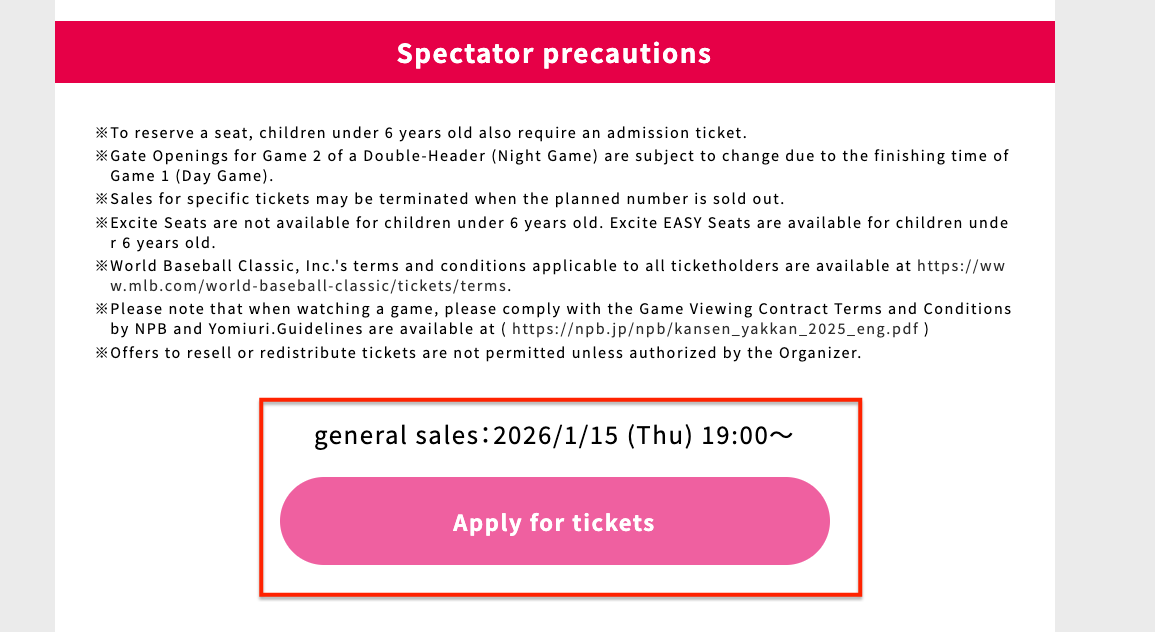
- Enter WBC ticket purchase page
- Click "Apply for tickets"
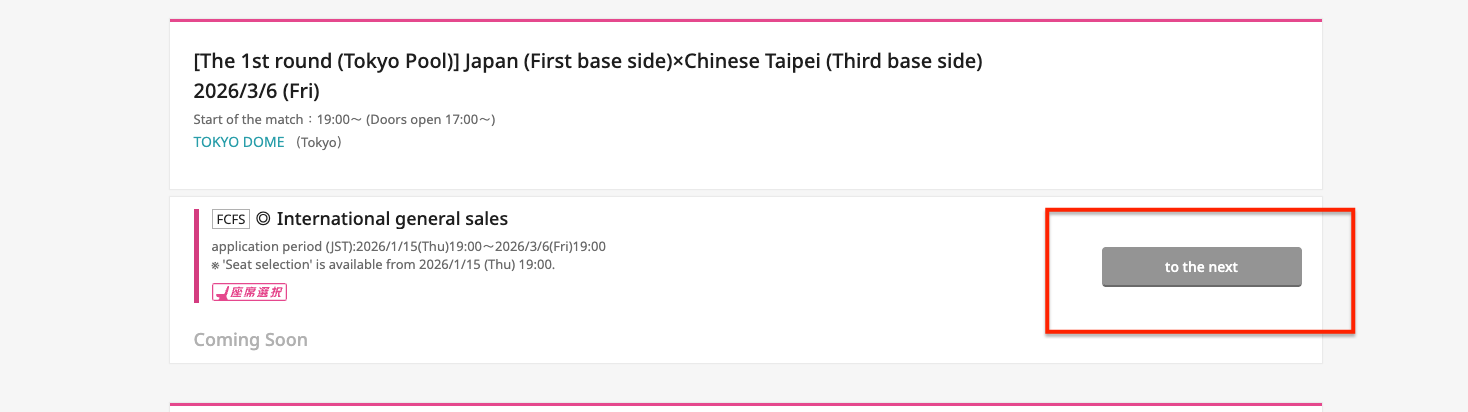
- Find the desired match, click "to the next"
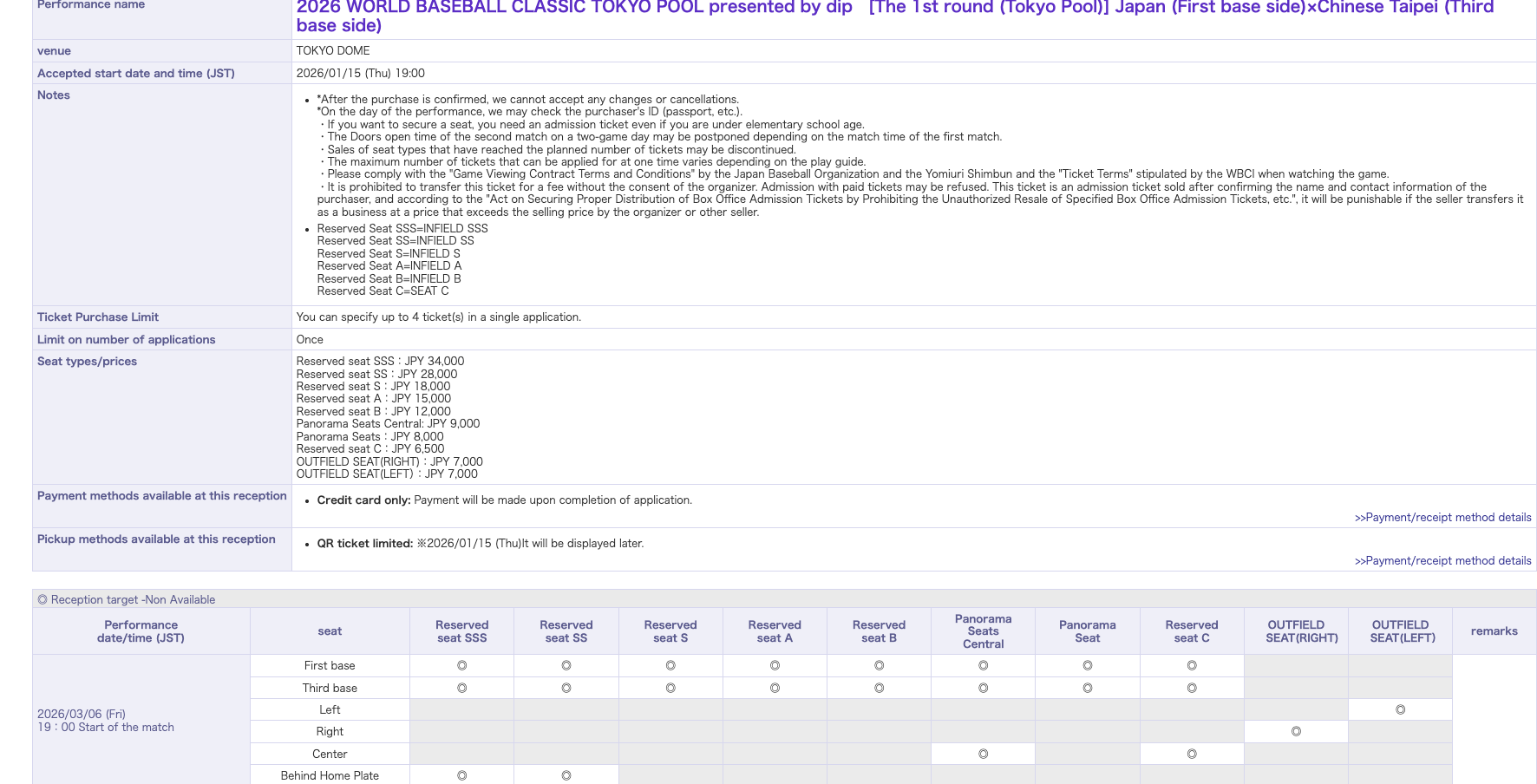
- Will enter seat description page
Step 2. Select Seats and Number of Tickets
Scroll down the page and start selecting:
Date and time Seat type Number of tickets
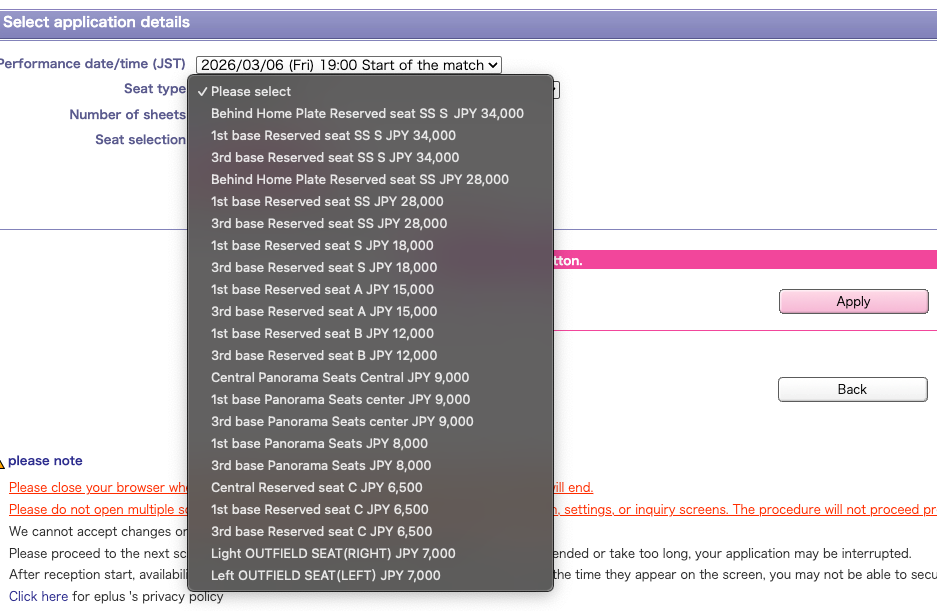
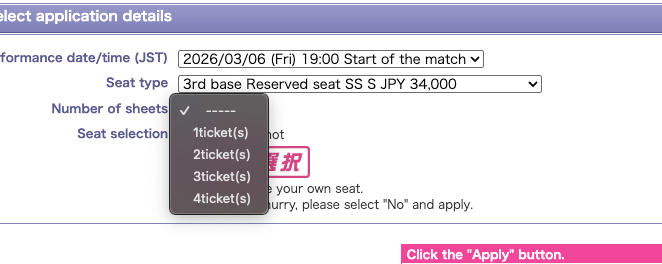
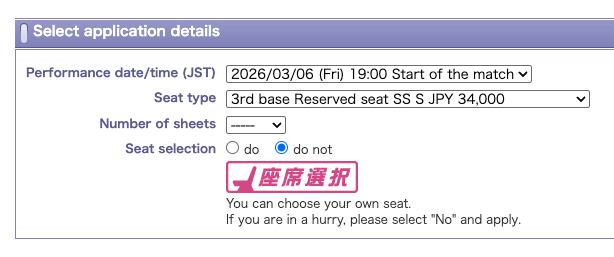
Important Recommendation: Select "Don't Choose Seats"
- For popular performances, when choosing seats, tickets sell out very quickly
- Get something first, then optimize
Then click "Apply"

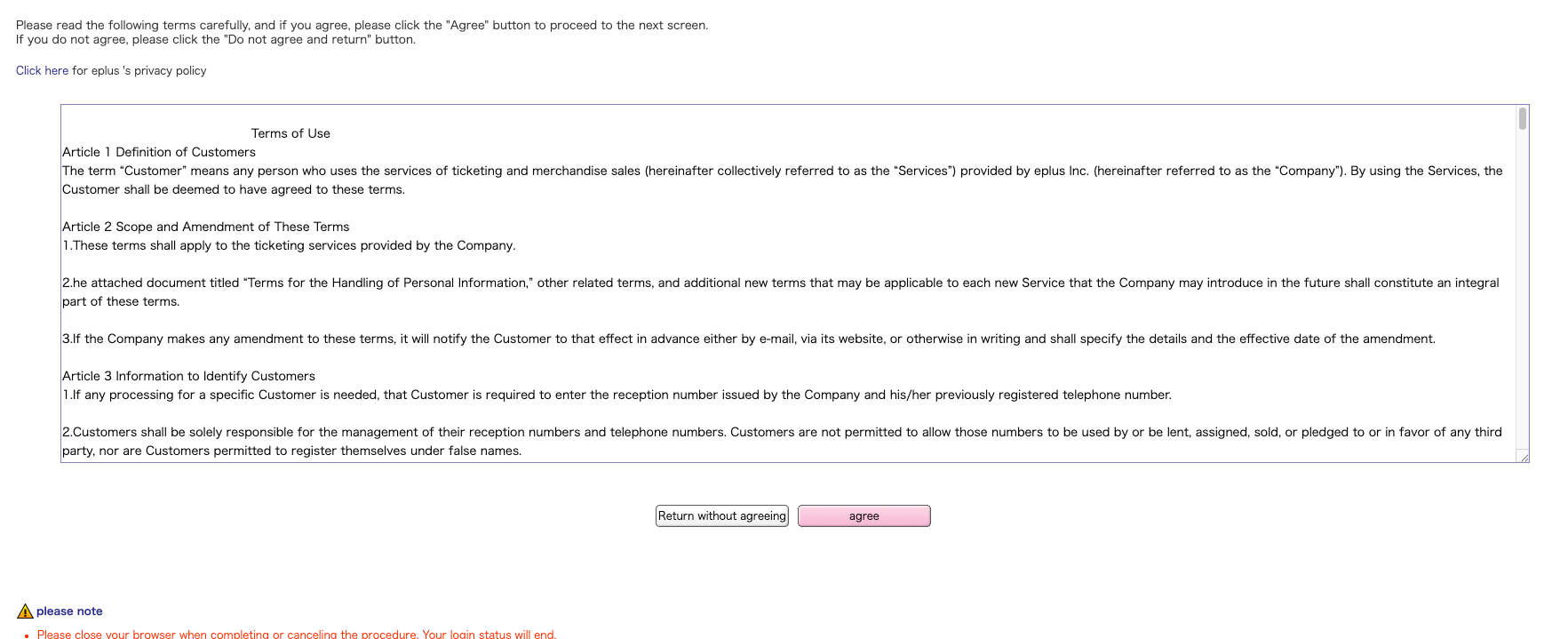
Agreement terms will pop up, click "Agree"
Step 3. Enter Personal Information
Need to fill in:
- Personal Information
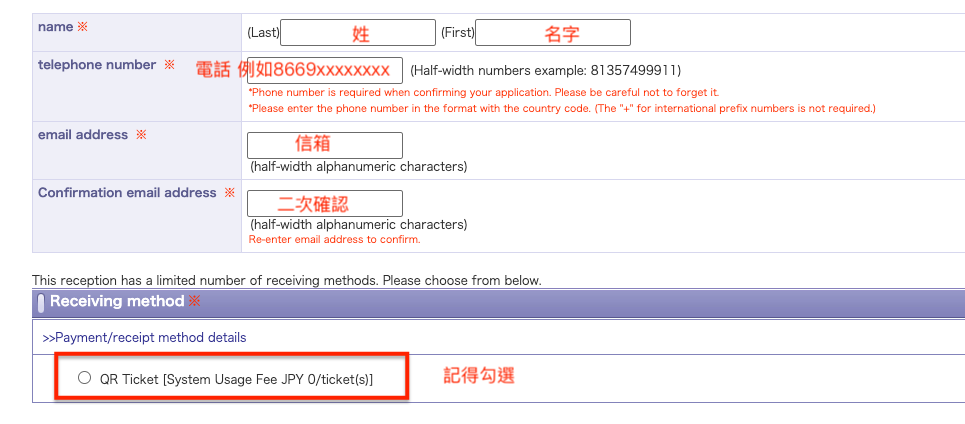
- Credit Card Information
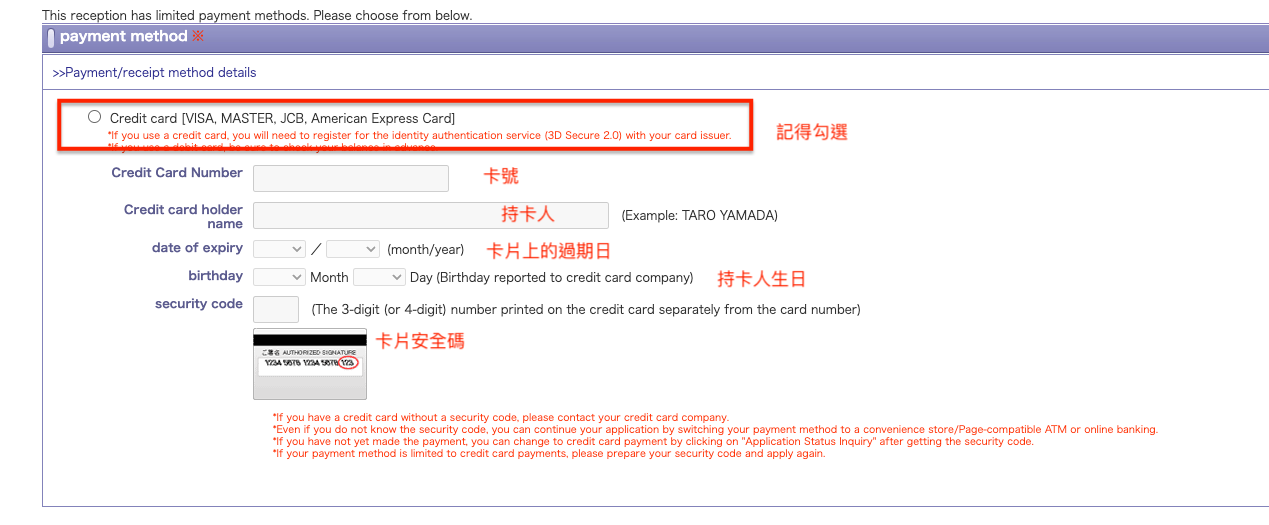
- Residence, Passport Nationality

- Finally click "Go to setting"

Step 4. Wait for Sale, Press "Apply" on Time
Critical Moment!
After completing the above steps:
- Browser will cache your entered data
- Remember to come back and confirm data before sale
- Confirm application content is correct
When sale time arrives:
- Press "Apply" button on time
- With good luck, you can successfully obtain tickets!
Important Reminder:
- This screen times out after 10 minutes without operation
- Recommend pressing the button once within 10 minutes before sale to maintain connection
Step 5. Complete Application
Seeing the confirmation screen means you successfully obtained tickets! Congratulations!
Wishing everyone successful ticket grabbing! Good luck!
Official Links:
- e+ Overseas Purchase: https://eplus.tickets/en/sf/ibt/detail/0260360001?P6=i00
- e+ Official Website: https://eplus.jp/